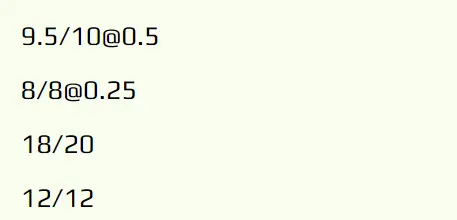
2. If you want to add weight to grades, after the scanning add '@0.25' (0.25 is the weight) to the text. So the result should look like this for example:
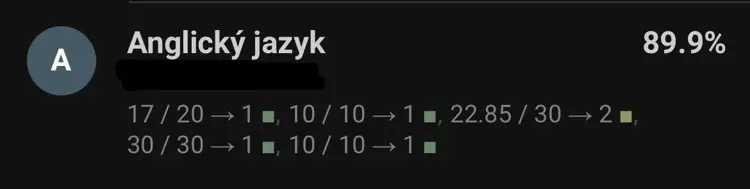
3. Be aware that when scanning % it will scan the overall % of the subject so don't forget to delete it
4. It has a tendency to not recognize dots(commas) so make sure to double check if everything was recognized correctly
5. Default weight is 1
6. Don't add % in the edit tab. A good example is the default values provided.
7. If the server is down feel free to use the old version here
8. When typing decimal numbers like 9.5 use dots and NOT commas (9.5 = right; 9,5 = wrong)